Proxmox Config Backup to Git – Version Control for Your PVE Nodes
Stop treating your Proxmox configuration like it’s disposable. Start treating it like code.
GitHub: ruhanirabin/pve-config-git
The Problem: Configuration Drift Is a Silent Killer
I’ve been running Proxmox for years. Multiple nodes, dozens of VMs, complex network configs, storage pools, custom scripts. And like many of you, I made changes directly on the host. A quick edit to /etc/network/interfaces here, a storage tweak there, a firewall rule adjustment to get something working.
It worked fine until it didn’t.
One Tuesday evening, I updated a network bridge configuration. The change seemed innocent enough. I rebooted the node to apply it, and… silence. The node never came back online. No SSH, no web UI, nothing.
I had to drive to the data center, plug in a crash cart, and spend three hours troubleshooting what should have been a five-minute fix. The root cause? A typo in a bridge name that I introduced during the edit. But here’s the kicker: I had no idea what the previous working configuration looked like.
I had backups of my VMs. I had snapshots of VM disks. But I had zero history of my node configuration changes.
Sound familiar?
The Realization: Proxmox Config Is Infrastructure Code
Here’s what most Proxmox operators get wrong: they treat VM backups as sufficient protection. They’re not.
VM backups protect your virtual machines. They do not protect:
- Your network configuration (
/etc/network/interfaces) - Your storage definitions (
/etc/pve/storage.cfg) - Your cluster settings (
/etc/pve/corosync.conf) - Your custom firewall rules (
/etc/pve/firewall/*.fw) - Your node-specific scripts and cron jobs
- Your SSH keys and authentication settings
When your node configuration breaks, VM backups are useless. You can’t restore a VM if the node won’t boot. You can’t migrate VMs if the network is misconfigured.
Your Proxmox configuration is infrastructure code. And infrastructure code deserves version control.
What I Actually Needed
I looked at existing solutions:
- Proxmox Backup Server: Excellent for VM backups. Overkill and complex just for config.
- rsync to remote server: Gets the files there, but no change history. No, “What changed last Tuesday?”
- etckeeper: Close, but Proxmox stores critical config in
/etc/pve/which is a special FUSE mount, not a standard filesystem. - Manual git init: Doable, but I needed automation. I needed it to commit on schedule and on shutdown without me remembering to do it.
What I needed was specific:
- Automatic – Set it and forget it
- Git-based – Full change history, diffs, rollbacks
- Proxmox-aware – Knows where the config files actually live
- Safe – Won’t break if Git is temporarily unreachable
- Notified – Tell me when backups succeed or fail
Nothing existed that checked all these boxes.
So I built it.
Introducing: Proxmox (PVE) Config Git
PCG is a lightweight, purpose-built toolkit that treats your Proxmox node configuration like the code it is.
It does one thing and does it well: automatically snapshots your Proxmox configuration to a private Git repository, on schedule and on shutdown, with Telegram or webhook notifications.
What It Actually Does
Every hour (configurable), PCG:
- Collects your Proxmox configuration files
- Commits them to a local Git repository if anything changed
- Pushes to your private GitHub/GitLab remote
- Sends you a notification (optional)
On node shutdown:
- Runs one final backup before the system halts
- Ensures you have the last known good config
The result? A complete, timestamped history of every configuration change on your node. If something breaks, you can:
- See exactly what changed and when
- See who changed it (commit author tracking)
- Roll back to any previous working state
- Compare configurations across nodes
What It Does NOT Do
Let’s be crystal clear: This is not a VM backup tool.
| PCG (Config Backup) | Proxmox Backup Server (VM Backup) |
|---|---|
Backs up /etc/pve/*.cfg and custom shell scripts | Backs up VM disk images |
| Tracks config change history | Creates VM snapshots |
| Lets you restore network/storage configs | Lets you restore VM data |
| Lightweight (<1MB scripts) | Full backup server |
| Git-based versioning | Image-based snapshots |
You need both. PCG protects your node configuration. Proxmox Backup Server (or vzdump) protects your VM data.
How It Works (The Technical Bits)
PCG is built on a simple philosophy: use the right tool for each job.
- Bash for the scripts (Proxmox is a Debian-based system; Bash is native)
- systemd timers for scheduling (already running, rock solid)
- Git for versioning (proven, decentralized, diff-friendly)
- SSH keys for authentication (standard, secure)
The File Collection Strategy
PCG collects configuration from these locations:
/etc/pve/                    # Proxmox VE configuration
/etc/network/interfaces      # Network configuration
/etc/hosts, /etc/hostname    # Host identification
/etc/resolv.conf             # DNS settings
/root/custom-scripts/        # Your custom automation (optional)
It uses a whitelist approach: only explicitly listed paths are backed up. No accidental inclusion of sensitive files like private keys or passwords.
The Safety Mechanisms
I’ve built in multiple layers of safety:
- Deduplication – Only commits when files actually change
- Local-first – Works with local Git repo even if remote is down
- Auto-retry – Queues pushes when network is temporarily unavailable
- Shutdown protection – Won’t run duplicate backups during reboots
- Lock file guards – Prevents concurrent execution
- Test mode –
PCG_TEST_MODE=truefor safe testing
Getting Started
Prerequisites
You’ll need:
- A Proxmox VE node (obviously)
- A private GitHub repository (empty, initialized)
- An SSH key added to your GitHub account
- A Telegram bot (optional but recommended for notifications)
Installation
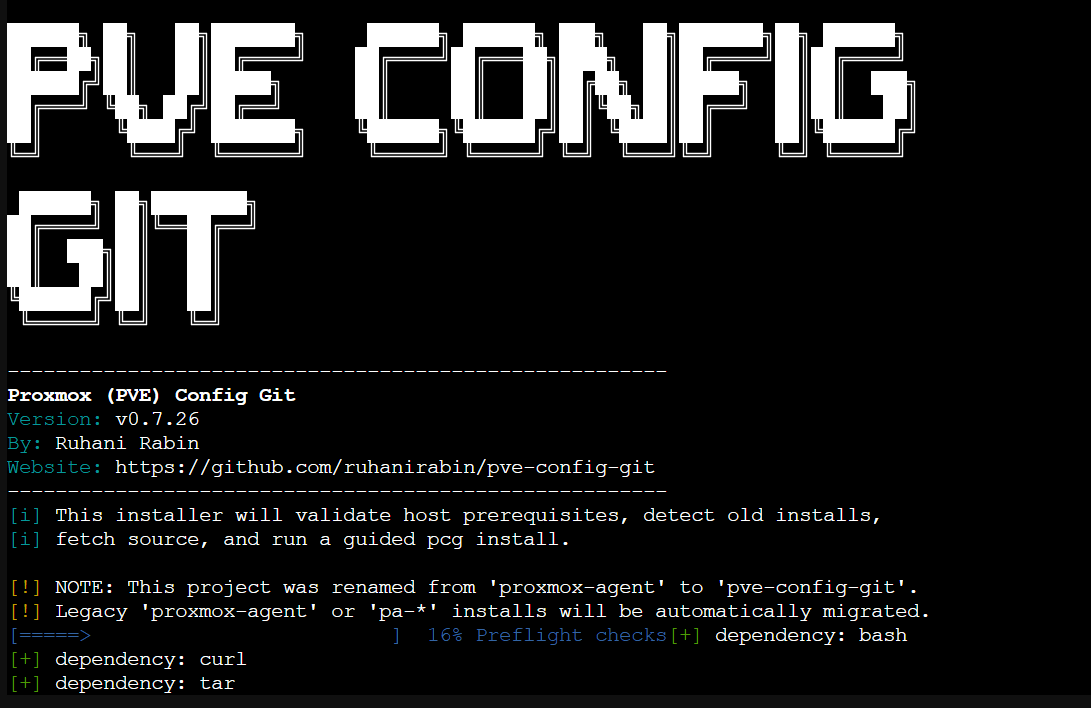
Option 1: One-liner bootstrap (easiest)
Run this in your Proxmox VE shell (not inside a VM):
bash -c "$(curl -fsSL https://raw.githubusercontent.com/ruhanirabin/pve-config-git/main/install.sh)"The bootstrap will:
- Check dependencies
- Detect any existing/legacy installation
- Show you a pre-install simulation
- Guide you through configuration interactively
Option 2: Clone and install
git clone https://github.com/ruhanirabin/pve-config-git.git
cd pve-config-git
sudo ./bin/pcg install
Initial Configuration
The installer will prompt you for:
- Git remote URL – Your private repo (SSH:
git@github.com:you/repo.gitor HTTPS) - Local repo path – Where to store the local Git repo (
/root/pve-configby default) - Branch name – Usually
main - Commit identity – Your name and email for Git commits
- Log retention – How long to keep local logs (14 days default)
- Notifications – Telegram and/or webhook configuration
Post-Install Verification
# Run health check
pcg doctor

# Run manual backup (test it works)
pcg backup

# Send test notification
pcg notify "PCG is now protecting this node"
Daily Usage
Once installed, PCG is largely invisible. It runs automatically:
# Check what the timer is doing
systemctl status pcg-backup-config.timer

# View recent backup logs
journalctl -u pcg-backup-config.service -n 20

# Run a manual backup
pcg backup

# Check overall health
pcg doctor --json
When Things Go Wrong
“I broke my network config, and the node won’t connect”
From another machine with Git access:
# Clone your config repo
git clone git@github.com:you/proxmox-config.git
cd proxmox-config

# Find the last working network config
git log --oneline -10

# View the diff between last working and broken
git diff HEAD~2 HEAD -- etc/network/interfaces

# Copy the working config back (via IPMI/KVM or physical access)
# Then reboot
“I want to see what changed last week”
cd /root/pve-config
git log --since="1 week ago" --oneline
“I need to apply the same config to a second node”
# On node 2, clone the config
git clone git@github.com:you/proxmox-config.git /root/pve-config

# Copy relevant configs (be careful!)
# Then commit node 2's identity separately
Real-World Scenarios
Scenario 1: The Botched Firewall Rule
You add a firewall rule to /etc/pve/firewall/cluster.fw to block a suspicious IP. Hours later, you realize you used the wrong CIDR notation and locked yourself out of the web UI.
With PCG:
# SSH into the node (you can still do this; firewall rules don't affect established SSH)
ssh root@proxmox-node

# Restore last working firewall config
cd /root/pve-config
git checkout HEAD~1 -- etc/pve/firewall/cluster.fw
cp etc/pve/firewall/cluster.fw /etc/pve/firewall/cluster.fw

# Reload firewall
pvefw reload
Total downtime: 2 minutes. Without PCG? Hope you remember the exact syntax or have a screenshot.
Scenario 2: The Storage Migration Gone Wrong
You’re migrating from local storage to a Ceph cluster. You update /etc/pve/storage.cfg with the new Ceph configuration. The GUI shows the storage as active, but VMs won’t start.
With PCG:
# Check what actually changed
cd /root/pve-config
git diff HEAD~1 etc/pve/storage.cfg

# Ah, you see the typo in the monhost IP address
# Fix it in the live config, commit the correction
git add etc/pve/storage.cfg
git commit -m "fix: correct Ceph monhost IP"
Scenario 3: The “What Changed?” Mystery
Your Proxmox cluster has been acting strangely for days. You suspect a configuration change but nobody admits to making one.
With PCG:
cd /root/pve-config

# See all changes in the last 7 days
git log --since="7 days ago" --pretty=format:"%h - %an, %ar : %s"

# See the actual diff for a specific commit
git show abc1234

# There's your smoking gun: someone changed corosync.conf
Architecture Decisions (Why I Built It This Way)
Why Git Instead of Rsync or Tarballs?
Rsync gives you the latest state. Git gives you every state with metadata about who changed what and when.
When your node is down, you want to browse history from your laptop. You want to compare. You intend to roll back. Git is the right tool.
Why systemd Instead of Cron?
- Native integration: Proxmox uses systemd. Timers are more reliable than cron for system services.
- Shutdown hooks: systemd can trigger backups on shutdown. Cron can’t.
- Status visibility:
systemctl statusgives you real insight into what’s happening.
Why Bash Instead of Python/Go?
- Zero dependencies: Proxmox already has Bash. No package installation needed.
- Readability: Anyone who manages Proxmox knows Bash basics.
- Debuggability: When something breaks at 2 AM, you can read and understand the code immediately.
Why Not Just Use etckeeper?
etckeeper is great for /etc/. Proxmox configuration lives in /etc/pve/, which is a FUSE mount, not a standard filesystem. etckeeper doesn’t handle this gracefully. PCG is built specifically for Proxmox’s architecture.
Roadmap and Contributing
PCG is stable and in active use on my own infrastructure. Future enhancements I’m considering:
- Multi-node cluster config comparison – Detect config drift across nodes
- Pre-commit validation – Check config syntax before allowing commits
- Ansible/Puppet export – Generate automation manifests from running config
- Web dashboard – Optional web UI for browsing config history
Contributions are welcome. The codebase is intentionally simple and well-commented.
The Bottom Line
If you run Proxmox in production and you’re not versioning your configuration, you’re one typo away from a very bad day.
PCG is the safety net I wish I’d had years ago. It’s saved me multiple times already. It will save you too.
Get it: github.com/ruhanirabin/pve-config-git
Questions? Open an issue on GitHub.
Found this useful? Star the repo and tell other Proxmox operators.
Built by someone who learned the hard way so you don’t have to.