
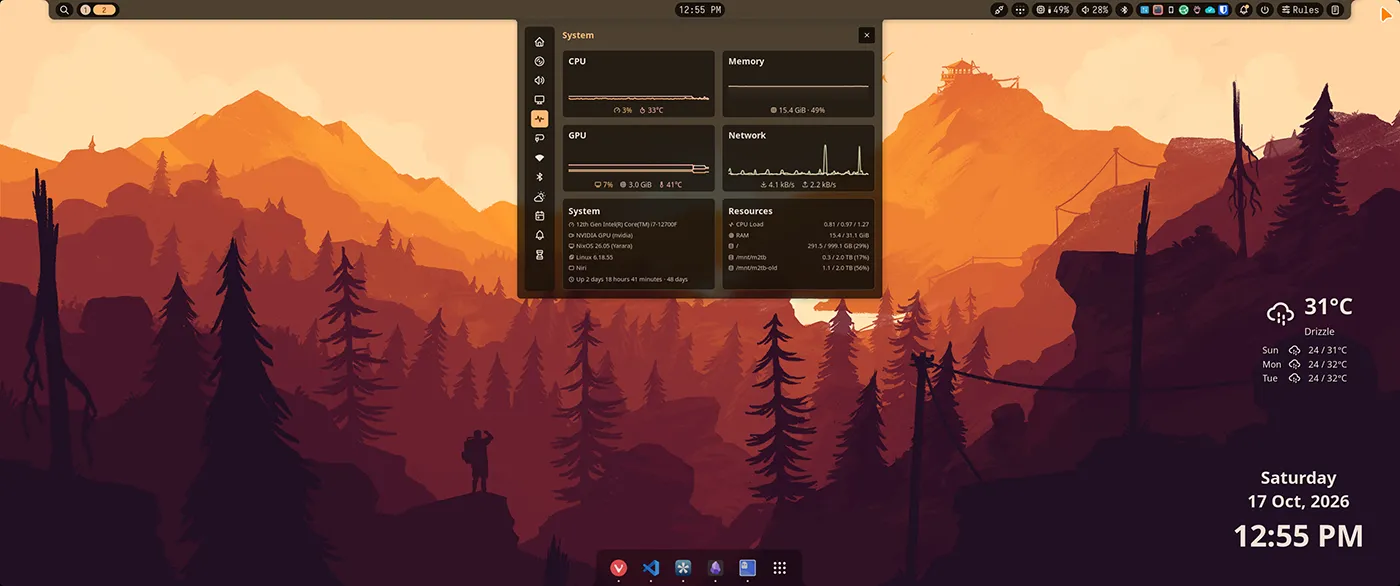
I had Niri and DankMaterialShell working already. The launcher, tray, wallpaper colors and login screen were part of my normal day. Then I wanted to try Noctalia v5, without making “go back to DMS” a small recovery project.
This follows my Niri and DankMaterialShell setup. Keep that working setup as the starting point. We are changing the desktop shell first, then the greeter. Niri stays where it is.
The first Noctalia login was great. The applications I tried loaded, the tray appeared, and Bitwarden showed an icon that I had not seen in my DMS session. GNOME Keyring also unlocked through both greeters. But some less obvious things were left behind: a DMS terminal theme, a Neovim startup hook calling dms, and a cursor setting that only existed in a DMS-generated file.
Those are the parts worth writing down. Installing another panel was the easy bit.
What this guide starts with
You need an existing flake-based NixOS installation with Niri, upstream DMS 1.6.2 and its matching greeter, plus Home Manager integrated into the NixOS configuration. The earlier post shows that setup. Standalone Home Manager and other distributions need different service wiring; do not paste this NixOS module into them.
The examples use alice, the flake host my-host, and a checkout at ~/nixos-config. Replace those consistently. Keep your existing Nixpkgs and Home Manager pins, hardware configuration and state versions. My source configuration uses NixOS/Home Manager 26.05; this guide is based on Noctalia 5.2.1 and Noctalia Greeter 1.6.0, the revisions used for this migration, rather than claiming they are the latest releases.
The code below is a migration reference. It deliberately leaves your existing display/input/layout configuration, passwords, hardware and package choices in place. I evaluated its three profile combinations separately; the fresh-login results described here came from my workstation, not from somebody else’s machine with these generic names.
If the checkout is clean, a small preparation step is enough:
cd ~/nixos-configgit status --shortgit switch -c desktop/noctalia-trialnix flake metadatareadlink -f /run/current-systemIf it is dirty, review and commit only the files you intend to preserve first. A flake lock pins dependencies; it does not back up the keyring or mutable application data. Keep your normal backup too.
Keep three choices separate
Niri arranges windows. Noctalia supplies the bar, launcher, notifications, tray and lock-screen interface. A greeter supplies the login screen before your session starts.
I tested them in this order:
| Checkpoint | Compositor | Shell | Login greeter |
|---|---|---|---|
| Existing desktop | Niri | DMS | DMS |
| First trial | Niri | Noctalia | DMS |
| Second trial | Niri | Noctalia | Noctalia |
| Accepted default | Niri | Noctalia | Noctalia, with DMS rollback |
The GNOME Keyring and its PAM login hooks stay shared. Changing a panel should not also change where applications keep their secrets.
There is no Umbriel installation in this guide. Umbriel is another compositor, so that would be a separate experiment after this one. Its runtime window controls also do not remove the need to preserve saved settings.
1. Add pinned inputs without updating everything else
Keep the nixpkgs, home-manager, DMS and DMS Greeter inputs from the earlier setup. Add these two entries inside the existing inputs set in flake.nix:
noctalia.url = "github:noctalia-dev/noctalia/v5.2.1";
noctalia-greeter = {  url = "github:noctalia-dev/noctalia-greeter/6127c31e64624edea725c134e8c19a1dd25447e1";  inputs.nixpkgs.follows = "noctalia/nixpkgs";};
Keep the existing DMS shell and DMS Greeter inputs on their matching v1.6.2 releases from the previous article.
I left Noctalia using its own upstream Nixpkgs input. Following the workstation’s Nixpkgs can reduce dependency duplication, but it can also prevent reuse of upstream cached builds. Neither choice requires globally trusting another cache. Noctalia’s NixOS documentation (opens in a new tab) explains that trade-off.
After editing the inputs, run nix flake lock and review git diff -- flake.lock. Do not use a blanket dependency update as part of the desktop migration. Some lock-node labels can be renumbered; compare the actual locked revisions as well as the text diff.
2. Give the desktop bundle one selector
This is enough structure for the migration. Create the files below before the first build; the Home Manager module imports the persistence module introduced in step 4.
nixos-config/
- flake.nix
- configuration.nix
- home.nix
- workstation.nix
modules/
- desktop.nix
- home-desktop.nix
- home-noctalia-state.nix
app-configs/
niri/
- config.kdl
- common.kdl
shells/
- dms.kdl
- noctalia.kdl
noctalia/
- config.toml
- sync-state.py
noctalia-state/
- noctalia-rules-studio.kdl
- rules.json
The first selector keeps DMS as the ordinary default and adds two trial specialisations. A specialisation is an alternate configuration built alongside the normal system, normally selectable from the boot menu.
Create workstation.nix:
{ lib, ... }:{  # Start with the known-good desktop as the ordinary default.  workstation.desktop.profile = "niri-dms";  workstation.desktop.greeter = "dms";
  specialisation.noctalia-trial.configuration = {    workstation.desktop.profile = lib.mkForce "niri-noctalia";    workstation.desktop.greeter = lib.mkForce "dms";    boot.loader.grub.configurationName = "Niri + Noctalia / DMS Greeter";  };  specialisation.noctalia-greeter-trial.configuration = {    workstation.desktop.profile = lib.mkForce "niri-noctalia";    workstation.desktop.greeter = lib.mkForce "noctalia";    boot.loader.grub.configurationName = "Niri + Noctalia / Noctalia Greeter";  };}
These labels are intentional. My initial generated trial entry showed a 1970 date because the specialisation link carried an epoch store timestamp. It was a confusing label, not a broken system clock. The explicit GRUB names avoid depending on that timestamp. They do not change EFI partitions or firmware boot order.
Create modules/desktop.nix as the owner of shell selection, login selection and shared authentication:
{ config, lib, pkgs, desktopUser, ... }:let  shell = if config.workstation.desktop.profile == "niri-dms" then "dms" else "noctalia";  dmsGreeter = config.workstation.desktop.greeter == "dms";in{  options.workstation.desktop = {    profile = lib.mkOption {      type = lib.types.enum [ "niri-dms" "niri-noctalia" ];      default = "niri-dms";    };    greeter = lib.mkOption {      type = lib.types.enum [ "dms" "noctalia" ];      default = "dms";    };  };
  config = {    programs.niri.enable = true;    services.displayManager.defaultSession = "niri";    services.displayManager.sddm.enable = false;    services.displayManager.dms-greeter.enable = false;
    services.gnome.gnome-keyring.enable = true;    security.pam.services.greetd.enableGnomeKeyring = true;    security.pam.services.login.enableGnomeKeyring = true;    security.pam.services.greetd.kwallet.enable = false;    security.pam.services.login.kwallet.enable = false;    xdg.portal.config.niri."org.freedesktop.impl.portal.Secret" =      lib.mkForce "gnome-keyring";
    programs.dank-material-shell = lib.mkIf (shell == "dms") {      enable = true;      enableDynamicTheming = true;      systemd.enable = true;      systemd.target = "niri.service";    };    systemd.user.services.dms = lib.mkIf (shell == "dms") {      after = [ "niri.service" ];      requisite = [ "niri.service" ];      partOf = lib.mkForce [ "niri.service" ];      unitConfig.ConditionEnvironment = "XDG_CURRENT_DESKTOP=niri";      serviceConfig.Environment = "QT_QPA_PLATFORMTHEME=qt6ct";    };
    programs.noctalia = lib.mkIf (shell == "noctalia") {      enable = true;      systemd.enable = true;      systemd.target = "niri.service";    };    systemd.user.services.noctalia = lib.mkIf (shell == "noctalia") {      requisite = [ "niri.service" ];      unitConfig.ConditionEnvironment = "XDG_CURRENT_DESKTOP=niri";      serviceConfig.Environment = "QT_QPA_PLATFORMTHEME=qt6ct";    };
    users.groups.dms-greeter = lib.mkIf dmsGreeter { };    users.users.dms-greeter = lib.mkIf dmsGreeter {      isSystemUser = true;      group = "dms-greeter";    };    services.greetd.settings.default_session.user = lib.mkIf dmsGreeter "dms-greeter";    programs.dms-greeter = lib.mkIf dmsGreeter {      enable = true;      configHome = "/home/${desktopUser}";      compositor.name = "niri";    };    services.displayManager.noctalia-greeter = lib.mkIf (!dmsGreeter) {      enable = true;      cursorTheme.package = pkgs.bibata-cursors;      settings = {        session.default = "Niri";        user.default = desktopUser;        keyboard.layout = "us";        cursor = { theme = "Bibata-Modern-Amber"; size = 24; };      };    };
    home-manager.users.${desktopUser} = {      imports = [ ./home-desktop.nix ./home-noctalia-state.nix ];      _module.args.desktopShell = shell;    };    assertions = [      {        assertion = config.programs.dank-material-shell.enable != config.programs.noctalia.enable;        message = "Enable exactly one shell for Niri.";      }      {        assertion = config.programs.dms-greeter.enable != config.services.displayManager.noctalia-greeter.enable;        message = "Enable exactly one login greeter.";      }    ];  };}
This replaces the unconditional DMS shell and greeter blocks from the earlier configuration. Move those declarations; do not keep a second copy enabled elsewhere. Preserve any custom programs.dms-greeter.compositor.customConfig you already need inside its conditional DMS block. The example lets the greeter use its defaults instead of copying my monitors.
Likewise, remove any old programs.dms-shell declaration if you still have one from the distribution-packaged stage of the earlier article. This guide uses the upstream programs.dank-material-shell module. Disable competing display-manager or Secret Service startup declarations in your existing setup; leave their saved data alone.
Now extend your existing outputs function to accept noctalia and noctalia-greeter. The relevant host definition should have this shape. Merge it into the existing flake; keep unrelated modules and specialArgs:
outputs = inputs@{ nixpkgs, home-manager, dms, dms-greeter, noctalia, noctalia-greeter, ... }: { nixosConfigurations.my-host = nixpkgs.lib.nixosSystem { system = "x86_64-linux"; specialArgs.desktopUser = "alice"; modules = [ ./configuration.nix ./workstation.nix ./modules/desktop.nix dms.nixosModules.dank-material-shell dms-greeter.nixosModules.dank-greeter noctalia.nixosModules.default noctalia-greeter.nixosModules.default home-manager.nixosModules.home-manager { home-manager.useGlobalPkgs = true; home-manager.useUserPackages = true; home-manager.users.alice = import ./home.nix; } ]; };};If a module is already imported, do not add a second differently wrapped copy of it. configuration.nix should still import your own hardware and package files. home.nix should still own your username, home directory and existing state version.
The greeter’s session name is Niri, which is the installed desktop entry’s display name. Confirm it on your installation before changing it.
3. Split Niri’s common settings from shell integration
Keep your existing display geometry, keyboard, mouse, workspaces and ordinary application rules. Put the shell-independent root content into app-configs/niri/common.kdl, keeping any relative include targets in the same relative locations.
Move DMS shortcuts, DMS window/layer rules, spawn-at-startup commands and generated DMS includes out of the common file. The selected shell gets its own file. A minimal common file looks like this; merge your existing working settings rather than replacing them with this small example:
// Minimal example. Preserve your existing display, input and layout settings.binds { Mod+Return { spawn "ghostty"; } Mod+Q { close-window; } Mod+H { focus-column-left; } Mod+L { focus-column-right; } Mod+Shift+E { quit; }}The new root is only two includes. Home Manager substitutes the selected shell path while building it:
include "./common.kdl"include "./shells/dms.kdl"Create the DMS shell file and move your existing DMS integration into it. These are the essential shortcuts:
binds { Mod+Space { spawn "dms" "ipc" "call" "spotlight" "toggle"; } Mod+V { spawn "dms" "ipc" "call" "clipboard" "toggle"; } Mod+Alt+L { spawn "dms" "ipc" "call" "lock" "lock"; }}// Keep the other DMS-managed includes from your existing setup here.For example, preserve the old optional ~/.config/niri/dms/cursor.kdl include here, using your actual home path. Preserve binds.kdl, input.kdl, layout.kdl, wpblur.kdl, alttab.kdl and windowrules.kdl too if your DMS setup uses them. They must not be included in the Noctalia session.
Create the Noctalia shell file:
cursor { xcursor-theme "Bibata-Modern-Amber" xcursor-size 38}binds { Mod+Space { spawn "noctalia" "msg" "panel-toggle" "launcher"; } Mod+V { spawn "noctalia" "msg" "panel-toggle" "clipboard"; } Mod+Shift+S { spawn "noctalia" "msg" "settings-toggle"; } Mod+N { spawn "noctalia" "msg" "panel-toggle" "control-center" "notifications"; } Mod+Alt+L { spawn "noctalia" "msg" "session" "lock"; } XF86AudioRaiseVolume allow-when-locked=true { spawn "noctalia" "msg" "volume-up"; } XF86AudioLowerVolume allow-when-locked=true { spawn "noctalia" "msg" "volume-down"; } XF86AudioMute allow-when-locked=true { spawn "noctalia" "msg" "volume-mute"; }}window-rule { match app-id="dev.noctalia.Noctalia" open-floating true default-column-width { fixed 1080; } default-window-height { fixed 920; }}layer-rule { match namespace="^noctalia-backdrop" place-within-backdrop true}I explicitly set the cursor because my previous Bibata selection lived in a DMS-generated fragment. Removing that fragment from the Noctalia profile also removed its cursor selection. The greeter still had Bibata, which made this look more mysterious than it was.
The size 38 is my session preference. Pick your own size and use it consistently in the Niri and Home Manager settings below. The greeter uses its own size; that is independent.
Create modules/home-desktop.nix. It validates the complete selected Niri tree during the build, then leaves Rules Studio’s generated file out of the immutable result so the plugin can write it later:
{ config, lib, pkgs, desktopShell, ... }:let noctalia = desktopShell == "noctalia";in{ xdg.configFile."niri" = { recursive = true; source = pkgs.runCommand "niri-config" { nativeBuildInputs = [ pkgs.niri ]; } '' cp -r ${../app-configs/niri} $out chmod -R u+w $out substituteInPlace $out/config.kdl \ --replace-fail "./shells/dms.kdl" "./shells/${desktopShell}.kdl" ${lib.optionalString noctalia '' cp ${../app-configs/noctalia-state/noctalia-rules-studio.kdl} $out/noctalia-rules-studio.kdl # The plugin expects this exact path and include line. mkdir -p $out/cfg mv $out/noctalia-rules-studio.kdl $out/cfg/noctalia-rules-studio.kdl cat >> $out/config.kdl <<'KDL' // BEGIN NIRI RULES STUDIO include "./cfg/noctalia-rules-studio.kdl" // END NIRI RULES STUDIO KDL ''} niri validate --config $out/config.kdl ${lib.optionalString noctalia "rm $out/cfg/noctalia-rules-studio.kdl"} ''; };
xdg.configFile."noctalia/config.toml" = lib.mkIf noctalia { source = ../app-configs/noctalia/config.toml; }; [Unit] After=${if noctalia then "noctalia" else "dms"}.service '';
home.pointerCursor = lib.mkIf noctalia { package = pkgs.bibata-cursors; name = "Bibata-Modern-Amber"; size = 38; }; dconf.settings."org/gnome/desktop/interface" = lib.mkIf noctalia { cursor-theme = "Bibata-Modern-Amber"; cursor-size = 38; }; # Preserve the other mutable GTK settings left by the previous shell. home.activation.noctaliaGtkCursor = lib.mkIf noctalia (lib.hm.dag.entryAfter [ "writeBoundary" ] '' ${pkgs.python3}/bin/python3 - <<'PY' import configparser from pathlib import Path for version in (3, 4): path = Path.home() / ".config" / f"gtk-{version}.0" / "settings.ini" settings = configparser.ConfigParser(interpolation=None) settings.read(path) if not settings.has_section("Settings"): settings.add_section("Settings") settings["Settings"]["gtk-cursor-theme-name"] = "Bibata-Modern-Amber" settings["Settings"]["gtk-cursor-theme-size"] = "38" path.parent.mkdir(parents=True, exist_ok=True) with path.open("w") as stream: settings.write(stream) PY '');}Remove the earlier Home Manager xdg.configFile."niri" declaration and autostart override now that this module owns them. If Home Manager reports an existing regular file conflict, back up that specific file and move it aside before retrying. Do not recursively delete your Niri configuration. Keep existing GTK icon/color ownership; the activation above changes only cursor fields in the mutable GTK settings.
The shell starts through systemd, tied to niri.service. Do not also launch it from Niri’s spawn-at-startup, an XDG autostart entry or a second Home Manager Noctalia service.
Two startup owners make troubleshooting very entertaining. Momentarily.
Create the initial Noctalia TOML. I started with a small bar and app color templates disabled:
# Author: Ruhani Rabin[shell]polkit_agent = truelaunch_apps_as_systemd_services = true
[theme]mode = "dark"source = "builtin"builtin = "Catppuccin"
[theme.templates]enable_builtin_templates = falseenable_community_templates = false
[bar.default]position = "top"start = ["launcher", "workspaces", "active_window"]center = ["clock"]end = ["volume", "network", "tray", "notifications", "session"]
[widget.tray]hide_passive = falsedrawer = false
Noctalia v5 uses TOML. This is not the older Quickshell/JSON configuration. Its GUI writes an overlay at the following path, which takes precedence over the baseline file:
~/.local/state/noctalia/settings.tomlAn old GUI override can therefore win over a new baseline value. Configuration precedence (opens in a new tab) is worth checking when a setting appears to ignore Nix.
If your previous desktop ran another Polkit agent, choose one agent for the session. This example enables Noctalia’s agent so normal administrator prompts can be displayed.
4. Make GUI settings and window rules recoverable
A read-only Niri root is useful. A plugin trying to rewrite it is not going to complain the hell out of it.
I installed Niri Rules Studio, setyvii/niri-rules-studio, through Noctalia’s plugin interface. The version used in this migration was 0.1.0. It builds opening rules from the selected window and validates them with Niri. On its first save it normally adds an include to the root configuration.
We already declared that exact include during the Niri build. The plugin can find it without changing the root. Its candidate files and generated rules live in the writable ~/.config/niri/cfg/ directory, alongside the Home Manager symlinks for other fragments.
The two things to preserve are:
~/.config/niri/cfg/noctalia-rules-studio.kdl, which Niri reads;- The editable
rules.jsonmodel the plugin reads, at:
~/.local/state/noctalia/plugins/data/setyvii/niri-rules-studio/rules.jsonSaving only the KDL restores the window behavior but loses the plugin’s editing model. Saving only the JSON loses the generated configuration. Keep both.
Prepare an empty seed only for files that do not already exist. If you already saved rules in the plugin, copy its current KDL and model into these destinations instead:
mkdir -p app-configs/noctalia-stateif [ ! -e app-configs/noctalia-state/noctalia-rules-studio.kdl ]; then printf '// Managed by Niri Rules Studio. No saved rules yet.\n' > app-configs/noctalia-state/noctalia-rules-studio.kdlfiif [ ! -e app-configs/noctalia-state/rules.json ]; then printf '[]\n' > app-configs/noctalia-state/rules.jsonfiCreate app-configs/noctalia/sync-state.py with this capture/restore helper. It is adapted from my working script so the checkout path comes from the module rather than my username:
#!/usr/bin/env python3# Author: Ruhani Rabin"""Capture reviewed GUI state; restore only files missing on a fresh install."""import jsonimport osfrom pathlib import Pathimport reimport subprocessimport sysimport tempfileimport tomllib
home = Path.home()repository = Path(os.environ["NOCTALIA_CAPTURE_REPO"])repo = repository / "app-configs/noctalia-state"state = Path(os.environ.get("NOCTALIA_STATE_HOME", os.environ.get("XDG_STATE_HOME", home / ".local/state"))) / "noctalia"config = Path(os.environ.get("XDG_CONFIG_HOME", home / ".config")) / "niri"model = state / "plugins/data/setyvii/niri-rules-studio/rules.json"rules = config / "cfg/noctalia-rules-studio.kdl"pairs = [(state / "settings.toml", repo / "settings.toml"),         (model, repo / "rules.json"), (rules, repo / rules.name)]
def write(path, content):    if path.exists() and path.read_bytes() == content:        return    path.parent.mkdir(parents=True, exist_ok=True)    with tempfile.NamedTemporaryFile(dir=path.parent, delete=False) as stream:        stream.write(content)        temporary = stream.name    os.replace(temporary, path)
if sys.argv[1:] == ["restore"]:    for live, saved in pairs:        if not live.exists() and saved.exists():            write(live, saved.read_bytes())    model.parent.mkdir(parents=True, exist_ok=True)    rules.parent.mkdir(parents=True, exist_ok=True)    sys.exit(0)
# Only these reviewed shell/UI sections belong in Git. Arbitrary plugin# configuration, external accounts, and runtime histories are never captured.allowed = {"accessibility", "bar", "calendar", "desktop_widgets", "dock",           "hot_corners", "location", "lockscreen", "lockscreen_widgets",           "shell", "theme", "wallpaper", "widget"}if pairs[0][0].exists():    raw = pairs[0][0].read_text()    parsed = tomllib.loads(raw)    chunks = re.split(r"(?m)(?=^[ \t]*\[)", raw)    kept = []    for chunk in chunks:        match = re.match(r"[ \t]*\[+([^\]]+)\]", chunk)        section = match.group(1) if match else ""        root = section.split(".")[0]        # Accounts are mutable setup, even when their credentials live elsewhere.        if section == "calendar.account" or section.startswith("calendar.account."):            continue        if root not in allowed and section != "plugins" and section != "":            continue        if re.search(r"(?im)^\s*[^=]*(password|token|secret|api_key|credential)[^=]*=", chunk):            continue        # Plugins only contributes its enabled list, never per-plugin settings.        if section == "plugins":            chunk = "[plugins]\nenabled = " + json.dumps(parsed.get("plugins", {}).get("enabled", [])) + "\n\n"        kept.append(chunk)    content = "".join(kept)    tomllib.loads(content)    write(repo / "settings.toml", content.encode())
pending = []for live, saved in pairs[1:]:    if live.exists():        content = live.read_bytes()        if live == model:            json.loads(content)        else:            subprocess.run(["niri", "validate", "-c", str(live)], check=True, capture_output=True)        pending.append((saved, content))for saved, content in pending:    write(saved, content)
inventory = []for manifest in sorted((state / "plugins/materialized").glob("*/*/plugin.toml")):    metadata = tomllib.loads(manifest.read_text())    source = manifest.parent.parent.name    result = subprocess.run(["git", "-C", str(state / "plugins/sources" / source / "repo"),                             "rev-parse", "HEAD"], capture_output=True, text=True)    inventory.append({"id": metadata["id"], "version": metadata.get("version"),                      "source": source, "source_revision": result.stdout.strip() if result.returncode == 0 else None})if inventory:    write(repo / "plugins.json", (json.dumps(inventory, indent=2) + "\n").encode())
The script captures selected GUI sections and an inventory of materialized plugin IDs, versions and source revisions. It excludes account configuration, unreviewed top-level sections and sections containing credential-like keys. That filter is a guard, not a promise that arbitrary text can never contain a secret. Review every snapshot diff before committing it, particularly if you add plugins, custom commands or window rules. The rule model can record a window title even when title matching is disabled, so inspect that text too.
Do not add clipboard history, notification history, account databases, plugin caches or the whole Noctalia state directory to Git. Wallpaper files and application credentials remain part of your ordinary backup.
The snapshot records wallpaper paths, not the images themselves.
Plugin inventory is also not a plugin lockfile. Recording a source revision does not cause Noctalia to install that exact revision during recovery.
Restore the configured sources and enabled plugins through Noctalia, then check API compatibility and the inventory. Fresh-machine fetching was not tested in this migration.
Create modules/home-noctalia-state.nix to provide the command, restore missing live files, and watch for edits or atomic file replacements:
{ config, lib, pkgs, desktopShell, ... }:let # Change this if you keep the checkout somewhere else. repository = "${config.home.homeDirectory}/nixos-config"; sync = pkgs.writeShellScriptBin "noctalia-state-sync" '' export PATH=${lib.makeBinPath [ pkgs.git pkgs.niri ]}:"$PATH" export NOCTALIA_CAPTURE_REPO=${lib.escapeShellArg repository} exec ${pkgs.python3}/bin/python3 ${../app-configs/noctalia/sync-state.py} "$@" '';inlib.mkIf (desktopShell == "noctalia") { home.packages = [ sync ]; home.activation.noctaliaStateRestore = lib.hm.dag.entryAfter [ "writeBoundary" ] '' ${sync}/bin/noctalia-state-sync restore ''; systemd.user.services.noctalia-state-sync = { Unit.Description = "Capture reviewed Noctalia GUI state"; Service = { Type = "oneshot"; ExecStart = "${sync}/bin/noctalia-state-sync"; }; Install.WantedBy = [ "graphical-session.target" ]; }; systemd.user.paths.noctalia-state-sync = { Unit.Description = "Watch Noctalia settings and managed rules"; Path = { PathChanged = [ "%h/.local/state/noctalia/settings.toml" "%h/.local/state/noctalia" "%h/.config/niri/cfg" "%h/.local/state/noctalia/plugins/data/setyvii/niri-rules-studio" "%h/.local/state/noctalia/plugins/materialized/community" "%h/.local/state/noctalia/plugins/materialized/official" ]; Unit = "noctalia-state-sync.service"; }; Install.WantedBy = [ "graphical-session.target" ]; };}The module assumes the normal XDG paths shown in the guide. If you use custom XDG_STATE_HOME, XDG_CONFIG_HOME or NOCTALIA_STATE_HOME, update the watcher paths as well as the script environment. Changing only the script would leave the watcher looking in the wrong place.
Restore seeds missing files. It does not overwrite an existing session’s choices on every rebuild. To intentionally restore an older saved setting, stop the shell and watcher, back up and move aside only the live file being restored, run noctalia-state-sync restore, then start them again. Do not treat a rebuild as “replace every GUI choice with Git.”
If you already have the DMS capture service from the earlier post, keep its declarations under lib.mkIf (desktopShell == "dms"). Scope its GTK/Qt bootstrap and mutable-state restore hooks the same way. They should not run in the Noctalia profile and put the old palette back. Preserve their existing implementation and paths; this guide does not delete DMS state.
5. Build first, then boot the shell trial
At this point all referenced files exist. Review the new files before staging them; Git-backed flakes generally ignore untracked files until they are added:
git status --shortgit add flake.nix flake.lock workstation.nix modules app-configs/niri app-configs/noctalia app-configs/noctalia-statenix flake check --no-buildnix build .#nixosConfigurations.my-host.config.system.build.toplevel --no-linkStage any other files you intentionally changed, such as home.nix, separately. Read the diff rather than adding unrelated mutable state along for the ride.
nix flake check --no-build evaluates the flake; the system build also runs our Niri validation. For this reference I evaluated the DMS/DMS, Noctalia/DMS and Noctalia/Noctalia combinations. A successful build still does not exercise a login.
Install the boot configurations without switching the current desktop:
sudo nixos-rebuild boot --flake .#my-hostReboot and choose Niri + Noctalia / DMS Greeter. If that entry is not where your bootloader exposes specialisations, check your bootloader’s arrangement; the label example is GRUB-specific. Keep the older known-good generation available.
On my workstation nixcfg is a local alias that stages files and runs an activating test rebuild. ns is another local alias for switching. They are not standard Nix commands, and I did not use that test alias for the initial boot-only handoff. Otherwise the ordinary DMS default could be activated while I was trying the alternate desktop.
After login, inspect the services:
systemctl --user is-active niri.service noctalia.servicesystemctl --user is-active dms.servicesystemctl --user status noctalia-state-sync.path noctalia-state-sync.servicejournalctl --user -b -u noctalia.service --no-pager -n 60Niri and Noctalia should be active; DMS should not be. A successful capture service normally shows inactive (dead) afterward because it is a oneshot. Check its exit status and the active path watcher before treating that as a failure.
Test the launcher, clipboard, notifications, lock/unlock, brightness/audio keys and the applications you actually use. For the tray, check both visibility and opening the menu/window. An icon in a screenshot is only half the job.
I saw Bitwarden in the Noctalia tray and tested several applications. pCloud’s old tray problem had already been solved in DMS 1.6, so a move to Noctalia should not be advertised as the fix for that earlier issue.
6. Verify the same keyring, then test the new greeter
Check the Secret Service owner and login collection in the first trial:
busctl --user --no-pager list | rg 'org.freedesktop.secrets|org.kde.kwallet'busctl --user get-property org.freedesktop.secrets \ /org/freedesktop/secrets/collection/login \ org.freedesktop.Secret.Collection LockedThe owner should be GNOME Keyring. If your collection is named login, an unlocked collection returns b false. A different collection path needs its actual object path; do not reset a keyring just because that example path does not exist.
For a round-trip test, install libsecret and util-linux in a temporary shell and store a disposable value with a unique attribute. These are normal-user commands:
nix shell nixpkgs#libsecret nixpkgs#util-linux --command bashprobe_id="$(uuidgen)"printf '%s' 'temporary-desktop-check' | secret-tool store \ --label='Temporary desktop migration check' migration-probe "$probe_id"secret-tool lookup migration-probe "$probe_id"secret-tool clear migration-probe "$probe_id"exitThe lookup should print the temporary value without a second unlock prompt, and the final command removes it. This is a synthetic test; it does not inspect your real passwords. The temporary shell uses the registry’s Nixpkgs, not necessarily the workstation pin. You can instead use the same packages already installed from your pin.
PAM unlocking assumes a normal password login and an appropriate keyring password. Autologin, fingerprint-only login or a mismatched keyring password need separate handling. Do not “fix” those by deleting the collection.
Once the shell trial is acceptable, reboot into Niri + Noctalia / Noctalia Greeter. Log in using your normal password, then repeat the keyring and application checks. I passed synthetic store/read/delete tests through both greeters. That is the reason I kept the shared authentication block unchanged.
The next acceptance checks are cold boot, both monitors, screen sharing/OBS, suspend/resume, lock/unlock and audio capture. Do these on your hardware. They are not implied by the keyring test.
7. Connect application colors to the selected shell
Only after the basic desktop works, enable the templates you want in Noctalia’s settings. Enable wallpaper colors if that is your preference, then select the relevant built-in and community templates.
Two files are involved in most application integrations: a generated palette and an application’s selector pointing to it. Having the first does not guarantee the second is in use.
Ghostty and Alacritty
My Ghostty configuration still selected dankcolors. Noctalia generated themes/noctalia, but its hook could not rewrite the read-only Home Manager config. Alacritty had the same kind of problem: its palette existed without the import.
Add the following attributes inside modules/home-desktop.nix’s result set, and remove or merge the older declarations for these same fields. Keep your existing fonts, opacity and unrelated settings:
programs.alacritty = {  enable = true;  settings.general.import = [    (if noctalia      then "~/.config/alacritty/themes/noctalia.toml"      else "~/.config/alacritty/dank-theme.toml")  ];};
xdg.configFile."ghostty/config".text = ''  font-size = 15  theme = ${if noctalia then "noctalia" else "dankcolors"}'';
The noctalia boolean already exists in that module’s let block. This is a small example, not a request to throw away your whole Ghostty config. Use one declaration for the final file.
Keep stable config immutable and generated palette content writable. Rebuild, reopen the terminals, then change the wallpaper and check both colors and the logs. Keep the corresponding Noctalia template enabled. If a hook still tries to edit an immutable file, inspect that specific template version rather than making the whole configuration writable.
VS Code
The theme name is NoctaliaTheme, supplied by the noctalia.noctaliatheme extension. Install it, select Preferences: Color Theme → NoctaliaTheme, and keep the VS Code community template enabled. Reload the window if needed. The DMS extension can remain installed for rollback; it must not remain the active theme in the Noctalia session. VS Code template instructions (opens in a new tab)
The extension installation and chosen editor theme are app preferences unless you separately declare them through your Home Manager VS Code setup. This guide does not silently make that extension declarative.
Neovim / LazyVim
My startup error came from the DMS colorscheme calling the missing dms executable. For an existing LazyVim setup, add this declaration to modules/home-desktop.nix:
home.file.".config/nvim/lua/config/desktop-theme.lua".text = '' return "${desktopShell}"'';In your existing DMS/base46 Lazy plugin specification, add this field to the plugin table so it loads only in DMS:
enabled = require("config.desktop-theme") == "dms",Then create lua/plugins/base16.lua in that same repo-managed Neovim tree:
return { { "LazyVim/LazyVim", opts = function(_, opts) if require("config.desktop-theme") == "noctalia" then opts.colorscheme = function() local ok, palette = pcall(require, "matugen") if ok then palette.setup() else vim.cmd.colorscheme("habamax") end end end end, }, { "RRethy/base16-nvim", lazy = false, priority = 1000, enabled = require("config.desktop-theme") == "noctalia", },}Enable Noctalia’s Neovim template. It writes the mutable ~/.config/nvim/lua/matugen.lua. Let Lazy install base16 and preserve your plugin lockfile using your existing backup/declarative policy. Keep that generated palette writable; do not place a fixed copy in the immutable Neovim source.
The LazyVim callback is important. Loading a palette early was not enough when LazyVim applied Tokyo Night later. With this selection, the generated palette loaded in my headless check, and a missing palette fell back to Habamax without the DMS startup error. A fresh machine still needs the plugin downloaded. Neovim template (opens in a new tab)
GTK3, GTK4 and Qt6
Inspect the generated files and their selectors. Paths on this setup were:
rg -n 'noctalia|dank|matugen' ~/.config/gtk-3.0/gtk.css ~/.config/gtk-4.0/gtk.cssrg -n 'color_scheme_path|custom_palette' ~/.config/qt6ct/qt6ct.confls ~/.config/gtk-3.0/noctalia.css ~/.config/gtk-4.0/noctalia.cssls ~/.config/qt6ct/colors/noctalia.confKeep qt6ct installed and QT_QPA_PLATFORMTHEME=qt6ct in the environment used to launch Qt applications. If you already set it in your session configuration, preserve it. The shell service declaration above supplies it to Noctalia’s launched children; it is not a universal environment change for every launch path.
In my session, GTK3/4 imported Noctalia’s stylesheet and Qt6ct selected noctalia.conf with a custom palette. Earlier DMS CSS imports can remain in the file, so inspect their order and whether later CSS overrides them. Reopen representative GTK and Qt apps and look at them; a path check cannot prove every application’s theme is correct. If Stylix or another theme manager owns the same files, choose one owner for each target. GTK/Qt integration (opens in a new tab)
8. Make greeter sync convenient without broad privilege access
Under Settings → Security → Greeter, leave the privilege command as pkexec. That program launches the privileged helper; it does not decide to skip authentication on its own.
Passwordless sync is optional. To allow it for the configured user, add this field to the Noctalia greeter block in modules/desktop.nix:
passwordless-sync-users = [ desktopUser ];This spelling belongs to the pinned upstream project module used here. A nixpkgs module may expose passwordlessSyncUsers instead. Do not mix both modules or copy an option spelling without evaluating your chosen module.
The upstream rule authorizes the packaged constrained appearance-sync helper for that user’s active local session. It does not grant general passwordless root commands. The installed action must match org.noctalia.greeter.sync-appearance and its --sync argument. Keep an older helper’s legacy mode administrator-authenticated. Sync authorization (opens in a new tab) explains the version requirements and scope.
Build and activate, then test Sync Now. Auto-Sync is a separate GUI preference; the Polkit declaration does not enable it. Declarative greeter values also take precedence over synced values. If you pin a color scheme or monitor layout in Nix, sync will not override that pin. I left the scheme out of the generic example so readers can choose whether to pin it or follow sync.
The login greeter does not have the session lock screen’s widget editor. To customize the latter, run this while logged in and unlocked:
noctalia msg lockscreen-widgets-editThose are different screens. Copying wallpaper colors to the greeter does not copy your lock-screen widget arrangement.
9. Check that GUI edits return to the repository
In the Noctalia session, enable Niri Rules Studio and add its widget. Keep its niri_config setting at ~/.config/niri/config.kdl, the root managed by this guide. Create a small rule for an application you can safely reopen.
Then check the capture path:
systemctl --user status noctalia-state-sync.path noctalia-state-sync.servicejournalctl --user -u noctalia-state-sync.service --no-pager -n 30noctalia-state-syncgit diff -- app-configs/noctalia-stateYou should see both the model and KDL changes. Opening rules affect newly opened windows, so reopen the matching application before judging the result. A rule can be saved correctly but match the wrong app ID.
Do not edit the generated KDL and expect the plugin’s JSON model to update itself. The next GUI save can overwrite that manual edit. Keep hand-authored rules in the common Niri configuration and plugin-owned rules in the managed file. Rules later in the include order may override earlier matching settings.
In this migration the watcher was active, captures exited successfully, three saved rule models and their KDL matched the live files, and the retained GUI settings matched live values. Wallpaper rotation also produced a new settings snapshot and Helix palette while I was preparing a commit. A working capture mechanism is supposed to notice that.
Restart persistence, a fresh-machine restore and every rule’s actual opening behavior still need their own acceptance checks. A successful copy is not evidence for all three.
10. Promote Noctalia and keep one useful rollback
After both trials pass your checks, replace workstation.nix with this final selection:
{ lib, ... }:{  workstation.desktop.profile = "niri-noctalia";  workstation.desktop.greeter = "noctalia";
  specialisation.niri-dms.configuration = {    workstation.desktop.profile = lib.mkForce "niri-dms";    workstation.desktop.greeter = lib.mkForce "dms";    boot.loader.grub.configurationName = "Niri + DMS / DMS Greeter";  };}
Rebuild the next boot generation and reboot into the ordinary default:
nix flake check --no-buildnix build .#nixosConfigurations.my-host.config.system.build.toplevel --no-linksudo nixos-rebuild boot --flake .#my-hostAfter the normal default is accepted, ordinary later changes can use sudo nixos-rebuild switch --flake .#my-host. Avoid switching shell bundles mid-session; use a fresh login or reboot for that change.
Removing the trial specialisations removes them from future generations. Old generations can still contain the old entries. That is expected. Keep the known-good generation and DMS rollback until you have finished the recovery checks. Do not run a blanket generation deletion just to make the boot menu shorter.
If the trial fails, boot the known-good generation. From a working console you can also revert the configuration changes to your saved commit and rebuild; inspect your worktree before using Git to undo anything. Do not hard-reset away later unrelated work or delete live application state.
A pre-existing DMS UI-state watcher can change palette files in the working tree when you return to DMS. Review those separately. I excluded the two generated DMS palette edits from the migration commit; that did not remove the DMS modules or their previously committed rollback state.
There were two unrelated problems I did not solve by changing shells
EasyEffects had an existing login problem. My workstation refreshed the PipeWire graph after login to recover a present-but-silent Wave:3 microphone. EasyEffects started first, then aborted when the refresh restarted PipeWire. Opening it manually afterward made its tray icon appear. That happened under DMS too.
If you have the same already-existing wave3-login-refresh.service, the focused Home Manager ordering change is:
[Unit] Wants=wave3-login-refresh.service After=wave3-login-refresh.service'';Check the generated autostart unit name on your system before using it. Do not add my microphone restart workaround to a healthy audio setup. Test a fresh login, preset selection and a real recording; connected PipeWire devices alone did not catch this problem.
There was also a wired-profile surprise in Noctalia 5.2.1. After disconnecting through the panel and reconnecting, the built-in reconnect code tried saved profiles in D-Bus object-path order. It selected my alternate DNS profile even though that profile had autoconnect disabled. Explicit activation bypassed the preference I expected.
For that version, nmtui let me select the intended profile. Increasing autoconnect priority alone did not fix that code path. Treat this as a version-specific observation, not a reason to overwrite your network configuration during a desktop migration.
The result I wanted was fairly ordinary: Noctalia for the normal desktop, still have DMS modular config, applications able to unlock their secrets, and GUI choices that survive a rebuild.
Once that is working, I can spend time on the desktop instead of remembering which read-only file a plugin was trying to edit.
On the second day onward, there is almost nothing much to do, except I just used Window Rules plugin to manage some window behaviors. That is about it.
Comments