
I have owned the Affinity V2 Universal License for a while, and I still had the complete Windows installations for Photo 2, Designer 2, and Publisher 2 on one of the Windows drive.
They were surprisingly portable on Windows. I had previously reinstalled Windows 11, opened the applications from their old location. After that, entered my license details, and moved on using them.
Linux was the more interesting question.
Could I run Affinity Photo 2 properly on NixOS without turning the machine into a science project of Wine-prefix six months later?
The answer, as of Affinity V2 2.6.5, is yes. It is not native Linux software, and one acceleration feature still remains unavailable, but the actual editing workflow worked:
- Affinity Photo launched repeatedly;
- my V2 Universal License activated from the built-in account page;
- existing documents opened;
- PSD, PNG, and WebP exports worked;
- the NVIDIA GPU appeared as the renderer;
- preferences and UI scaling persisted between launches.
This is how I tested it, avoided downloading several gigabytes of installers again, and then moved it into my declarative NixOS configuration.
I also did something similar with the process of installing ChatGPT+Codex but this one is a bit more time-consuming and complex.
TLDR;
The short version is:
- Run Affinity Photo temporarily with
nix run. - Allow the unfree package for that command.
- If the upstream installer downloads are slow, download the official V2 2.6.5 MSI/EXE installers from your Affinity account.
- Verify that they match the hashes expected by
affinity-nix. - Import them into the Nix store instead of manually copying anything into
/nix/store. - Launch Photo, set Wine to 144 DPI if the interface is tiny, and activate the license from My Account.
- Once the trial works, pin
affinity-nixinflake.lockand declare the applications normally. - Back up
~/.local/share/affinity/, but never commit it or the proprietary installers to Git.
The first test command is:
NIXPKGS_ALLOW_UNFREE=1 nix run --impure \ github:mrshmllow/affinity-nix#affinity-photoDo not be surprised if the first build is large and severely time consuming. More on this, later in this article.
Why I used affinity-nix
I already had Bottles installed, and manually creating a Wine prefix was still an option. But affinity-nix (opens in a new tab) fits NixOS better.
It builds the Wine environment and dependencies through Nix, then mounts an overlay at runtime so user preferences remain writable. The immutable package and mutable state is unchanged instead of slowly becoming one unrepeatable prefix.
The V2 packages are:
affinity-photoaffinity-designeraffinity-publisherThere is one slightly surprising detail: the three V2 applications share the same prepared prefix. Running only affinity-photo may cause Photo, Designer, and Publisher sources to be fetched and extracted.
That confused me at first when the terminal said it was downloading Publisher while I had asked for Photo. It was not installing random software behind my back. It was preparing the shared V2 environment used by all three launchers.
flowchart TB    A["🔒 flake.lock"]    B["📦 affinity-nix + Wine dependencies"]    C["🧱 Shared Affinity V2 prefix"]    D["🖼️ Photo 2"]    E["✒️ Designer 2"]    F["📚 Publisher 2"]    G["💾 ~/.local/share/affinity/"]    H["🗄️ Backrest"]
    A --> B --> C    C --> D    C --> E    C --> F    G <-->|"preferences, activation, Wine overlay"| C    G --> H
First run: allow the unfree package
Running the simple command directly gave me this error:
Refusing to evaluate package 'affinity-photo-2.6.5'because it has an unfree license ('unfree')For a one-off flake command, use the temporary environment variable and --impure together:
NIXPKGS_ALLOW_UNFREE=1 nix run --impure \ github:mrshmllow/affinity-nix#affinity-photo--impure is required here because the flake must be allowed to read NIXPKGS_ALLOW_UNFREE from the environment.
This does not permanently change the NixOS configuration.
The first run can take forever
The project provides an optional binary cache at cache.forall.systems (opens in a new tab). That cache provides Wine, helper tools, and other non-proprietary build results.
It deliberately does not cache the proprietary Affinity archives.
This note in the upstream README means:
This repo does not attempt to redistribute affinity archives.Any instance of caching Canva IP should be reported as a bug.The Nix expressions still tell the local machine where to fetch the required Affinity installers and which hashes to expect. The installers are downloaded and verified on your machine. They are not served from the project’s binary cache.
My initial run spent a very long time downloading (I stopped the download at 97 minutes) the three V2 2.6.5 installers from Archive.org. Archive.org downloads are super slow. I already had the exact official files from my Affinity v2 account, so downloading them again was pointless.
There is a cleaner route.
Use official local installers instead of downloading them again
Download the final Affinity V2 Windows MSI/EXE installers from your own Affinity account. For me it took me 32 seconds to download all 3 of them.
For the current V2 package, the expected filenames are:
affinity-photo-msi-2.6.5.exeaffinity-designer-msi-2.6.5.exeaffinity-publisher-msi-2.6.5.exeI keep my recovery copies here:
/home/rabin/installers/affinity-v2/Use whatever protected path makes sense on your machine. Do not put proprietary installers inside a public Git repository.
Verify the files first
Check each file with Nix:
nix hash file --type sha256 --sri \  /home/rabin/installers/affinity-v2/affinity-photo-msi-2.6.5.exe
nix hash file --type sha256 --sri \  /home/rabin/installers/affinity-v2/affinity-designer-msi-2.6.5.exe
nix hash file --type sha256 --sri \  /home/rabin/installers/affinity-v2/affinity-publisher-msi-2.6.5.exe
At the revision used in this guide, affinity-nix expects:
Photo 2.6.5sha256-waCX33rWVzZ8AYZWmv2EOqS6ikT6p7s9qRJ+8rDo6Wk=
Designer 2.6.5sha256-b5K1FtsCWCjyn/NC4trB0g9Wv+AfLoDWgaZK2ZGXW0w=
Publisher 2.6.5sha256-76ikkAnbAghaSU5YLYLxXiHfAuqVfoEcQK16rHd6+7A=
All three of my account downloads matched byte for byte.
Import the matching files correctly
Never copy files directly into /nix/store.
Add the verified installers through Nix (change the /home/rabin/installers/affinity-v2/ to the correct location):
nix store add --mode flat --hash-algo sha256 \  --name affinity-photo-msi-2.6.5.exe \  /home/rabin/installers/affinity-v2/affinity-photo-msi-2.6.5.exe
nix store add --mode flat --hash-algo sha256 \  --name affinity-designer-msi-2.6.5.exe \  /home/rabin/installers/affinity-v2/affinity-designer-msi-2.6.5.exe
nix store add --mode flat --hash-algo sha256 \  --name affinity-publisher-msi-2.6.5.exe \  /home/rabin/installers/affinity-v2/affinity-publisher-msi-2.6.5.exe
Nix calculates the content-addressed store paths. Because the names and contents match the fixed-output sources expected by affinity-nix, the next build reuses them.
After importing the files, I ran the original test again:
NIXPKGS_ALLOW_UNFREE=1 nix run --impure \ github:mrshmllow/affinity-nix#affinity-photoThe installer download stage disappeared, and the application started almost immediately because the remaining prefix work had already completed.
Fix the tiny Wine interface
Affinity launched, but its menus and interface were much too small on my 1440p displays.
Affinity V2 does not expose a useful application-level UI scaling control. The correct place to fix this was Wine DPI.
Close Affinity, then open winecfg through the same package wrapper:
NIXPKGS_ALLOW_UNFREE=1 nix run --impure \ github:mrshmllow/affinity-nix#affinity-photo \ -- wine winecfgOpen Graphics, change Screen resolution, then apply the setting.
My displays use 1.2x compositor scaling. I tried 120 DPI first because the arithmetic looked sensible. It was still too small. 144 DPI was the setting that actually looked correct.
Use your eyes, not just the equation.
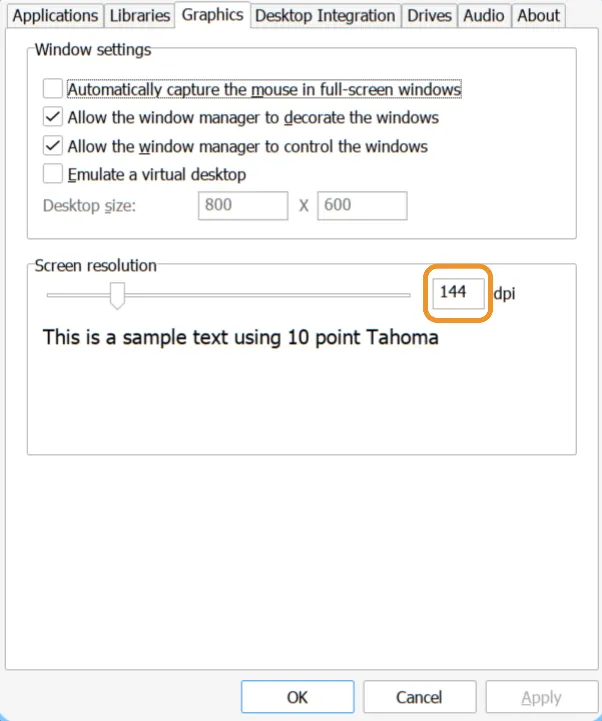
The DPI choice persisted across multiple launches because the writable Wine state files are here:
~/.local/share/affinity/Activate the V2 license
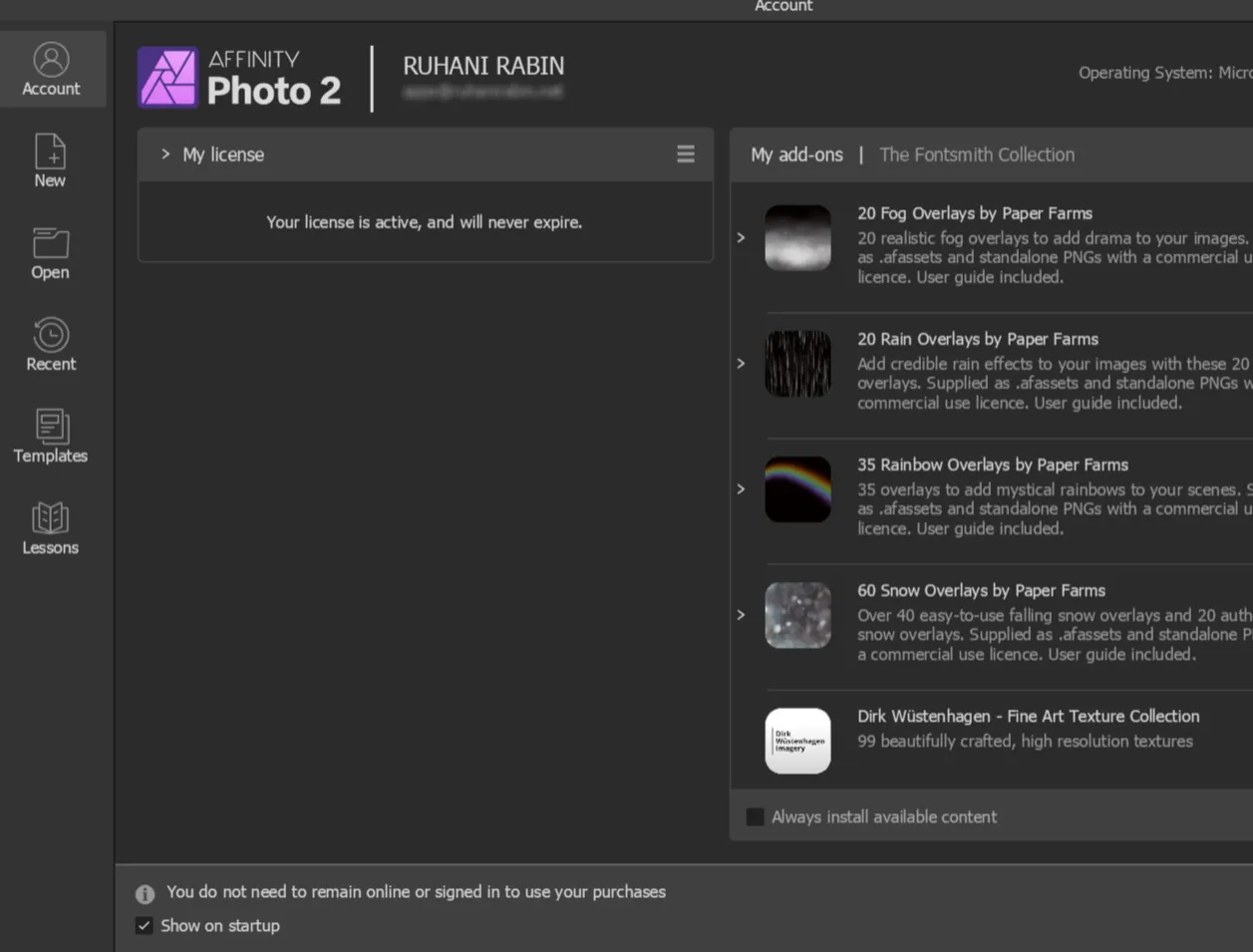
Affinity did not force a license prompt during the initial launches. I signed in using My Affinity Account and activated the V2 Universal License.
The account page then reported that the license was active and would not expire.
I closed and reopened Photo several times. The activation and preferences persisted.
NVIDIA works, but OpenCL does not
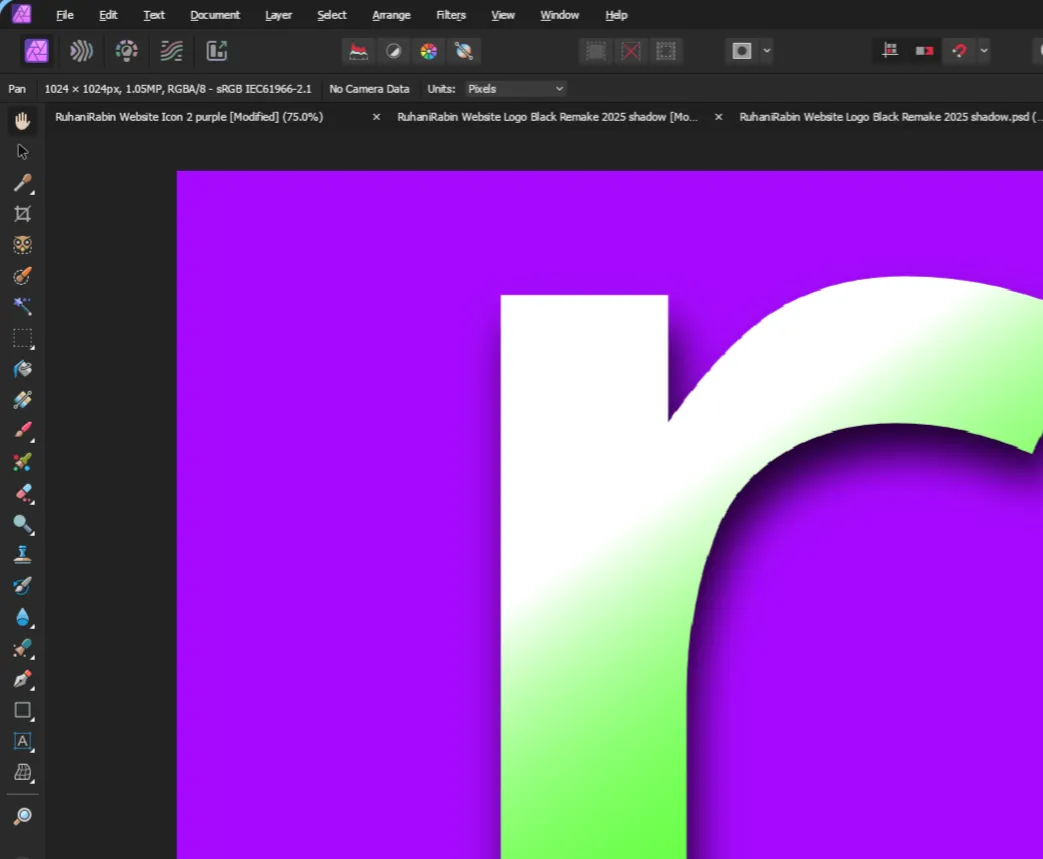
Affinity detected my NVIDIA RTX 3080 Ti as the renderer. Canvas interaction, opening documents, and exports all worked.
The Hardware Acceleration option could not be enabled, though.
This is not a missing CUDA checkbox. Affinity V2’s Windows compute-acceleration path uses OpenCL, not CUDA. The package provides Vulkan/VKD3D for the Direct3D rendering path, but the current Wine environment does not expose a compatible Windows OpenCL device to Affinity.
In practical terms:
- GPU-backed display rendering works;
- some compute-heavy operations fall back to the CPU;
- OpenCL acceleration remains unavailable;
- PSD, PNG, and WebP exports still worked in my tests.
Declare Affinity V2 in the NixOS flake
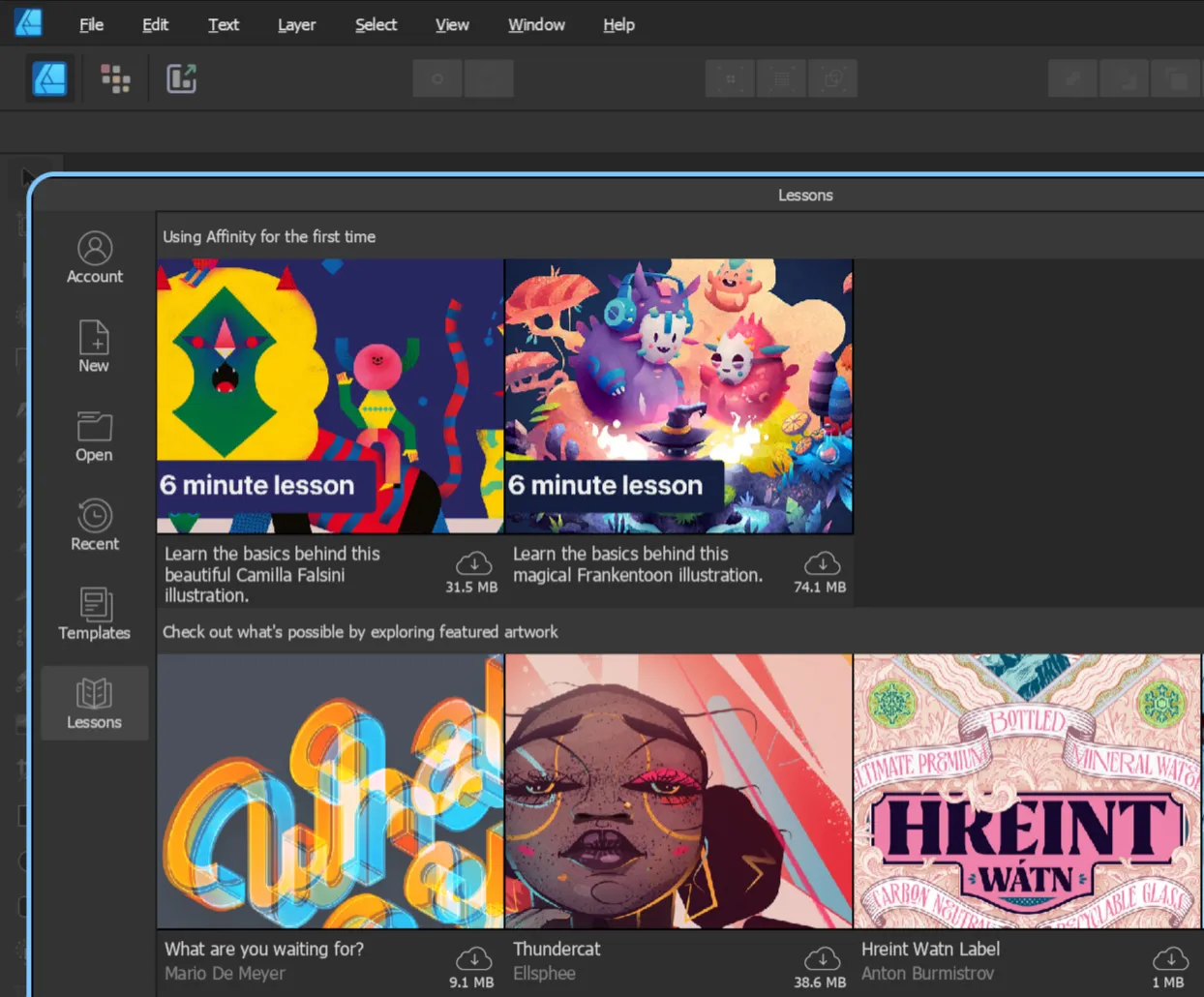
Once the temporary test worked, I moved it into the actual NixOS configuration.
My configuration keeps shared desktop packages in packages.nix and passes external flake inputs through specialArgs. Adapt the file layout to your own configuration. There is no prize for reorganizing a working flake just to copy mine exactly.
Add the flake input
{  inputs = {    nixpkgs.url = "github:NixOS/nixpkgs/nixos-26.05";
    affinity-nix.url = "github:mrshmllow/affinity-nix";  };
  outputs = {    nixpkgs,    affinity-nix,    ...  }:  {    nixosConfigurations.nixos = nixpkgs.lib.nixosSystem {      system = "x86_64-linux";
      specialArgs = {        inherit affinity-nix;      };
      modules = [        ./configuration.nix      ];    };  };}
I did not force the external flake’s Nixpkgs input to follow mine. The revision is pinned in flake.lock.
Apply the overlay and add the launchers
My package module applies its overlay in affinity-nix, then declares the three V2 applications:
{ pkgs, affinity-nix, ... }:
{  nixpkgs.overlays = [ affinity-nix.overlays.default ];
  environment.systemPackages = with pkgs; [    # Other applications
    affinity-photo    affinity-designer    affinity-publisher  ];}
The Launchers use the same prepared V2 prefix, so declaring the suite does not create three completely independent Wine environments.
If you only want Photo, this is also valid:
environment.systemPackages = with pkgs; [ affinity-photo];The shared prefix still contains the V2 application sources used by upstream. This only controls which launcher package enters the system environment.
Allow unfree packages declaratively
My system already had this setting:
nixpkgs.config.allowUnfree = true;After Affinity becomes part of the NixOS configuration, I no longer need NIXPKGS_ALLOW_UNFREE=1 for normal launches.
Pin and test it
Update the lock file:
nix flake update affinity-nixThen check and test the configuration:
nix flake check --no-buildsudo nixos-rebuild test --flake .#nixossudo nixos-rebuild switch --flake .#nixosThe first declarative build can still be large and time consuming. Applying the overlay builds the package against the Nixpkgs package set used by the system configuration, so do not start it five minutes before shutting down the machine and then act surprised.
The imported fixed-output Affinity installers remain reusable. In my dry run, Nix planned the Wine and runner build but did not plan another download of the three proprietary installers.
What belongs in Git and what belongs in backup
This is important, more than the final package list.
Git
I keep these in the NixOS repository:
- the
affinity-nixflake input; flake.lock;- the overlay declaration;
- the selected application packages;
- installer filenames and expected hashes;
- recovery instructions.
Backrest or another encrypted backup
I back up:
/home/rabin/.local/share/affinity//home/rabin/installers/affinity-v2/The first path contains mutable Wine, preference, and activation state. The second contains my official proprietary recovery media.
Neither belongs in Git.
The Nix store is also not a backup strategy. Garbage collection can remove paths that are no longer rooted. Keep the official installers somewhere you control if you want recovery to remain possible after an upstream archive disappears.
Updating or removing it later
To update only the package source:
nix flake update affinity-nixReview the lock-file change and test again. A newer upstream can change expected installers, Wine patches, etc.
To remove Affinity declaratively:
- remove the packages and overlay;
- remove the flake input if nothing else uses it;
- update the lock file;
- rebuild the system;
- inspect
~/.local/share/affinity/before deleting anything; - run normal Nix garbage collection only when you no longer need the previous closure.
Do not delete /nix/store paths manually. Nix will manage that area.
What about Affinity V3?
The repository also packages Canva’s unified Affinity V3 application as:
affinity-v3It uses separate mutable state under:
~/.local/share/affinity-v3/I am transitioning toward V3 through a Canva account, but I deliberately kept that as a separate future test. The working, perpetual V2 Universal License is too useful as a fallback to mix both experiments into the same checkpoint.
One thing at a time. NixOS is very good at reproducibility.
I do not need to test my ability to create parallel problems.
Final result
Affinity Photo 2 is now usable on my NixOS workstation, not merely able to draw a window.
The practical result is:
- repeatable Wine packaging through Nix;
- official V2 installer files reused locally;
- no manual writing inside
/nix/store; - persistent 144 DPI scaling;
- an activated V2 Universal License;
- working PSD, PNG, and WebP exports;
- NVIDIA rendering through Vulkan/VKD3D;
- mutable account and preference state protected separately from Git.
OpenCL compute acceleration remains the main limitation. For my current Photo workflow, it did not make an issue, yet!
That is a much better outcome than I expected from a Windows-only creative suite on NixOS.
Comments